

Troubleshooting Label Printing

We've designed our labels for trouble-free printing, but we understand that there are times when printing can get problematic. If you're having problems printing labels, we want to help.
Below are a few troubleshooting tips to resolve some common label printing problems.
1. Ink Smearing / Toner Flaking
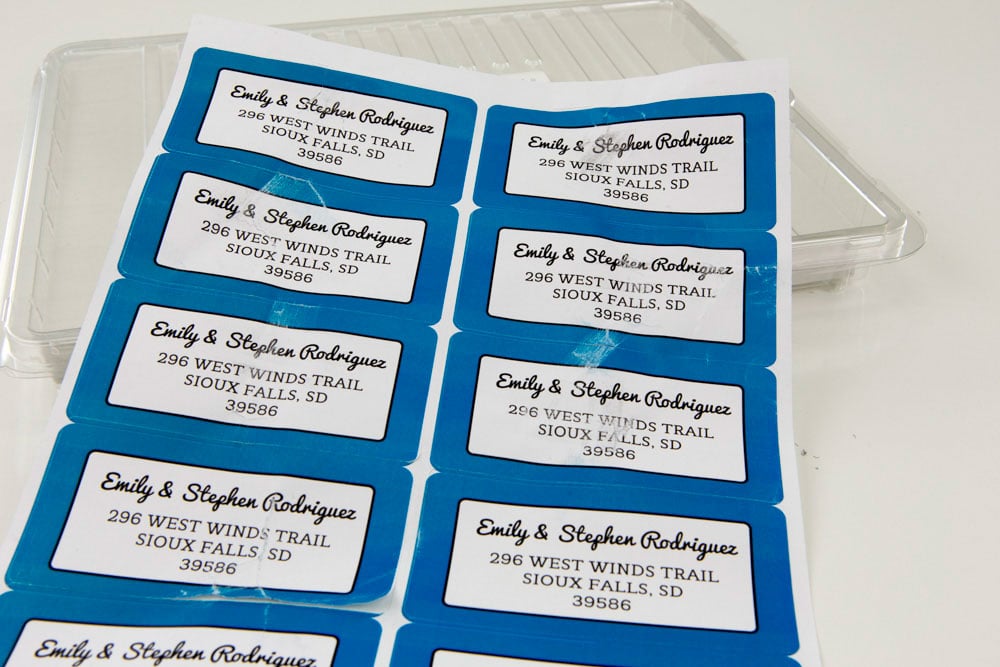
When your ink isn't drying, the solution depends on whether you're using an inkjet or laser printer.
The paragraphs below expand on quick fixes for each. You can also jump to our Recommended Print Settings chart for suggested material settings. Please note that material settings and performance can differ between printer models.
Inkjet Printers
If you're experiencing ink smearing, the ink may not be drying completely because the standard print settings are too high, causing over-saturation of the label paper.
A common solution is to reduce the quality setting. Open the printer dialog box and select "Properties" or "Preferences." Look for the "Print/Quality" tab or the "Quality/Print Quality" option. From there, you can select a lower dpi or make a quality adjustment.
For black ink in particular, selecting the "Print as Image" box in the print dialog pop-up may help.
Laser Printers
If your toner is flaking off, the toner may not be bonding to the material correctly because your material setting is too light.
Most of the time, adjusting the material setting to something thicker will fix this problem. You can do so by opening your printer dialog box and clicking on "Advanced Options." Select the dropdown for "Paper Type" (it may be labeled "Type Is" or "Material Type" as well). From there, you can select a thicker material option.
Recommended Settings for Label Printing
2. Scaling Problems
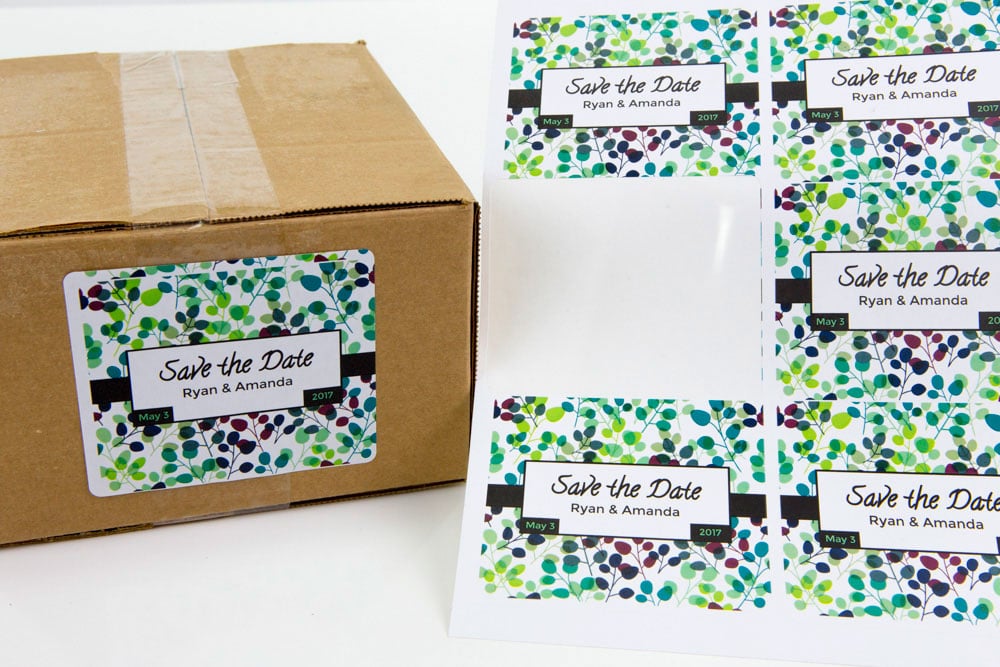
Some programs may stretch or shrink your design in an effort to help it fit within the page and your printable margins. This can distort your design and/or affect how it fits within the die-cuts of your label sheet.
When you hit print in your preferred program, verify that "Page Scaling" is set to "None" and uncheck the "Auto Rotate and Center" option. It may also be labeled "Resize Page to Fit Printer Margins." If you don't see any of those options, you can always set the "Custom Scale" option to 100%.
If you're running Windows 10 or Microsoft Edge, those options may not be available. If that's the case, we recommend switching to Google Chrome or Internet Explorer and installing Adobe Reader.
Adobe Reader is the preferred program by our team for printing PDFs. Find out how to set Adobe Reader as your default PDF viewer. Once installed, you can select the "Print to Page" or "Print Actual Size" option. This should ensure your design is printing as intended.
3. Alignment Issues
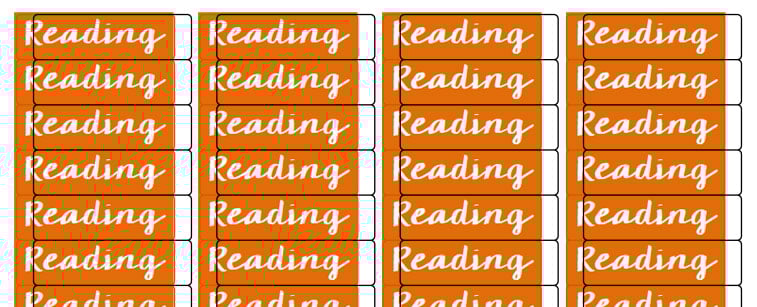
If every label on your sheet is out of alignment in the same way, you're likely experiencing some printer shifting. As papers feed through the printer, they can drift or move. In some cases, these shifts can be noticeable and result in wasted sheets.
If you're using Maestro Label Designer, run the "Alignment Wizard" found in the "Print" menu. After answering a few questions, Maestro Label Designer will automatically adjust your artwork to print correctly.
If you're using a different program, use a ruler to measure the variance on your printed label sheet. In Microsoft Word, you can then add or subtract that number from the margins set in "Page Setup." For Adobe Photoshop or Illustrator, use guides to adjust the location of your artwork on the canvas.
4. Printed Version Doesn't Match the Screen
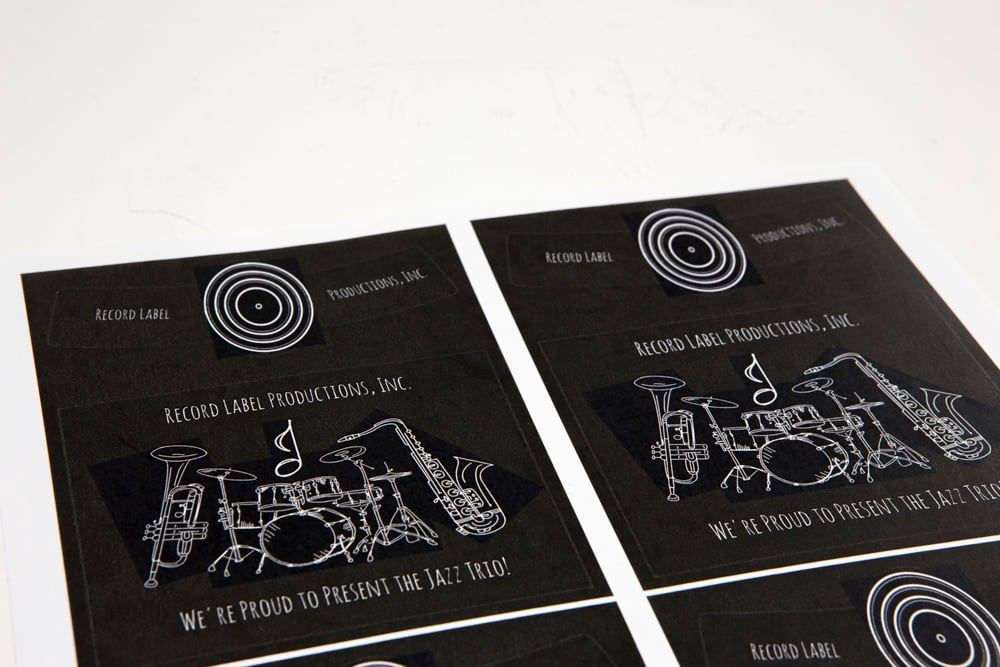
If there are lines running through your image, squares around the design, or it isn't printing in its entirety, open up the "Advanced Options" tab in the print dialog box.
Look for the "Print as Image" button – you want this box to be checked. Some fonts and/or images can't be processed by your PDF viewer. By changing your design to an image, you bypass the processing.
For those with access to Adobe Photoshop, you can help avoid this issue by flattening your artwork. To save your document as one flattened layer, open the "Layers" menu and select "Flatten Image." Be sure to save this file as a new document.
5. Paper Jams
 Photo by: Dwight Sipler.
Not surprisingly, this is the most common problem people experience with their printers. If your labels keep getting stuck, we suggest changing your material setting. Open your printer dialog box and click on "Advanced Options." Select the dropdown for "Paper Type" (it may be labeled "Type Is" or "Material Type" as well). From there, select the standard setting for plain printer paper.
Once you close the dialog box, print a blank sheet of printer paper. If the paper passes through with ease, try printing your labels again (without changing the settings). If you experience no issues, you're good to start printing your labels again.
If that doesn't fix your problem, you may be experiencing the result of a dusty feed path. That means your print rollers have gotten dirty from regular use and need to be cleaned. You can test this possibility by looking for streaks on a blank print. Streaks indicate the path is dirty. Look to your printer's manufacturer for cleaning and maintenance instructions.
Our customer service team is more than happy to help work through any issues you may be having. Call us at 1-888-575-2235 or visit our support page to get started. You may also want to check out related articles on the topic, including Printing Tips and our Printer Alignment Guide.
Or, take the stress-free route and let us do your printing for you with custom labels. Upload your design or select the "Let OnlineLabels.com print for me" option in Maestro Label Designer, and we'll have everything printed and shipped to your doorstep in no time.
