
Complete the following steps to change your account password.
-
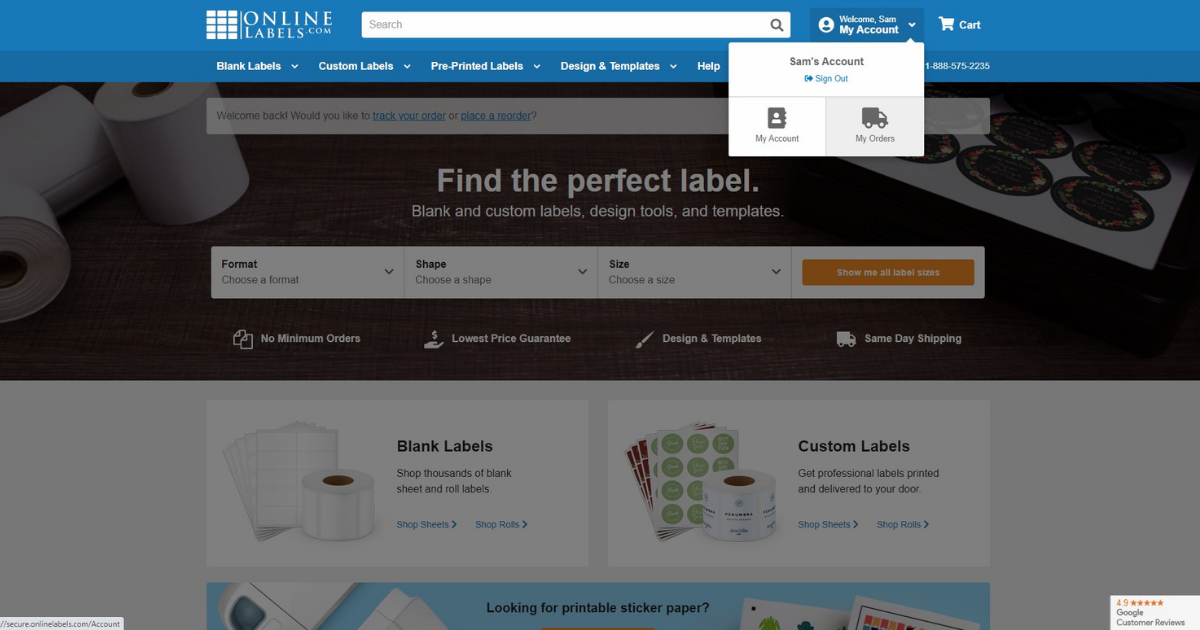
Log in to the "My Account" section of our website, located in the upper right-hand corner of the screen.
-
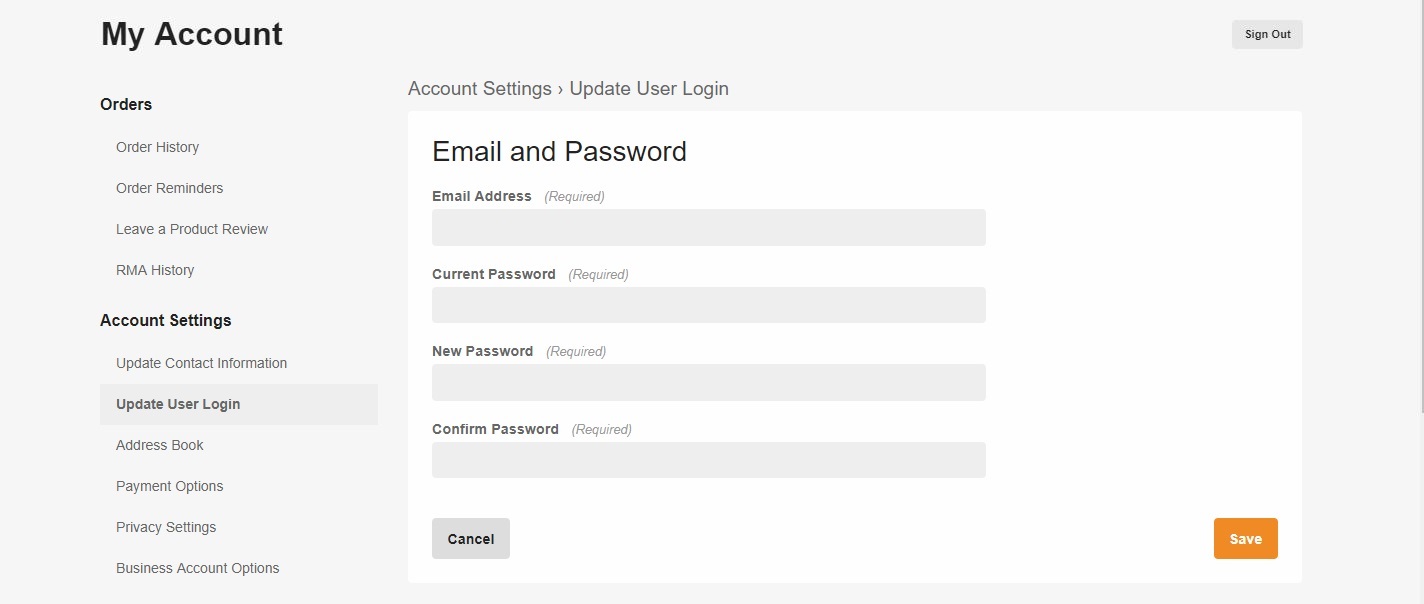
Click "Update User Login" under the "Account Settings" header in the left-hand column.

-
Enter your current password followed by your new password. Click "Save" to continue.
Was this answer helpful?