

A Practical Guide for Printing Transparent Barcode Labels

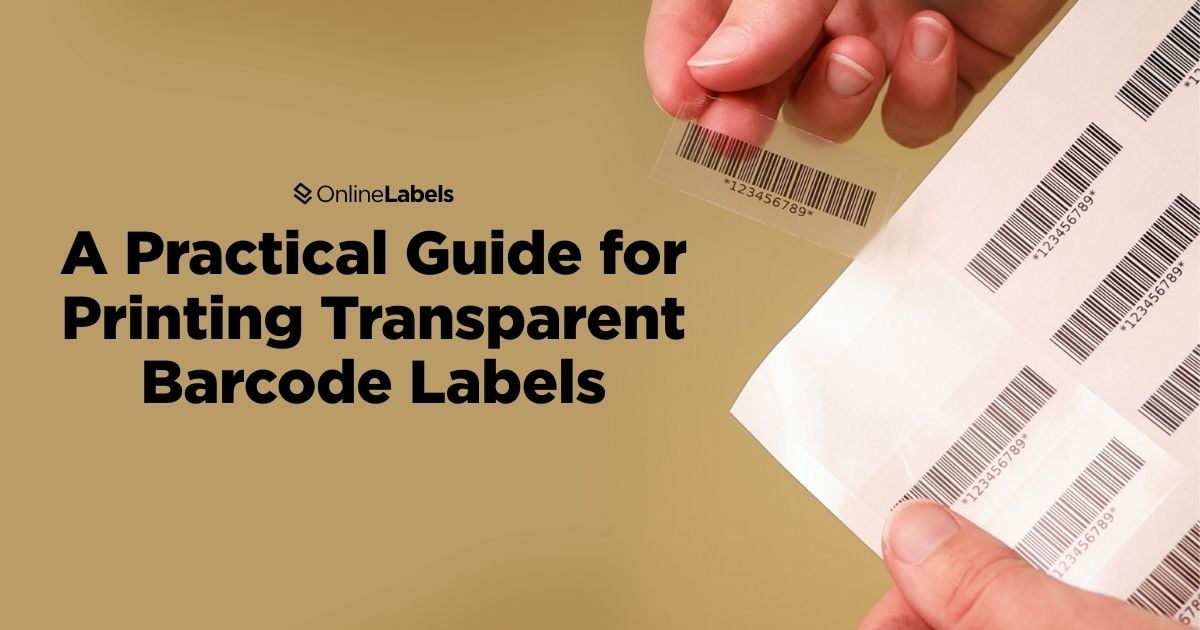
Transparent barcode labels can provide a refined and cost-effective solution for placing barcodes on a product. They offer the functionality of a traditional barcode while maintaining a clear appearance that complements your packaging design. If you're labeling glass containers, smooth metalized surfaces, kraft paper, etc., transparent labels allow barcodes to blend in any surface without the problem of not blending in correctly. In this article, we'll cover the key steps to printing clear barcode labels, explain how they work, go through material selection, and address several inquiries.
Why Should You Switch to Transparent Barcode Labels?
Transparent barcode labels are more than just a modern design choice; they offer practical benefits that improve packaging presentation and the customer's experience. This type of design allows the product to remain visible and enables the customer to see what they're purchasing, which builds trust and improves credibility. Whether you're packaging a colorful beverage or a clear gloss container, showing the product creates a sense of honesty and quality that today's consumer values. In addition to visibility, transparent labels support clean, minimalist designs that make essential information, like the content of the product, easier to see. This clarity is critical for shoppers with specific needs or preferences and contributes to a smoother, more confident buying experience. Ultimately, switching to transparent barcode labels is a simple way to reinforce your brand's transparency, elevate your packaging, and foster long-term customer loyalty.
How Do Clear Labels Work with Barcodes?
Transparent labels can be used effectively with barcodes, but maintaining reliable scanability depends on proper contrast and thoughtful placement. Because barcode scanners rely on the difference between light and dark areas to read data, the background behind a transparent label plays a crucial role. Without enough contrast, even a perfectly printed barcode may fail to scan. To ensure your transparent barcode labels function as intended, follow these tips:
- Ensure high contrast: use a dark barcode ink (preferably black) over a light-colored background to ensure maximum readability.
- Avoid dark or patterned surfaces: don't apply transparent barcode labels directly over dark, busy, or multicolored packaging, as scanners may not be able to detect the barcode.
- Use white underlay if needed: if your product surface is dark or inconsistent, consider requesting a white underlay in your design, which is available for custom roll labels.
- Do not place near edges: keep barcodes away from folds, corners, tapered surfaces, and sealing areas where the barcode can look distorted or damaged.
Check out our guide on how to easily add barcodes to your label designs using Maestro Label Designer.
Clear Barcode Label Material Options
When printing transparent barcode labels, the right material selection is key to achieving a clean look and ensuring that the barcode will not be damaged.
Clear Blank Labels
- Clear Gloss for Inkjet Printers is designed for desktop printers. This material offers a glossy finish that adds visual appeal to a product. The gloss of the label helps it blend into the packaging while keeping the barcode visible, especially when applied to light-colored or white surfaces.
- Clear Gloss for Laser Printers is made for laser printers and contains a high-gloss material that can bring durability to transparent barcodes.
Clear Custom Labels
- Clear Weatherproof (BOPP) is a label material known for its durability and resistance to moisture, oils, and abrasions. Also known as Clear BOPP, it is ideal for long-term barcode labeling and is less prone to smudging or distortion. This ensures that barcodes remain scannable over time and regardless of the conditions (low temperatures, humidity, moisture, etc.).
- Clear Custom Sheet Labels are pre-cut and available in various shapes and sizes. They're printed using professional-grade equipment, producing sharp, consistent barcode quality. The transparent nature helps your branding and packaging shine through while keeping the barcode discreet yet functional.
How to Print Transparent Barcode Labels
Printing transparent barcode labels requires careful attention to equipment and materials to ensure the labels are visible and easily scannable. While the process is similar to printing on other label types, a few key differences can make them easier to work with in terms of quality and functionality. Some important tips include:
- Adjust printer settings: set your printer to the highest quality or photo mode to produce sharp, dense barcodes. This ensures clean edges and consistent ink coverage, which are critical for scanning.
- Consider adding a white background box: if the barcode will be applied over a dark or patterned surface, print a white box underneath the barcode design. However, this option is only available for custom roll labels.
- Use a label design tool with barcode support: our barcode generator can help you print barcodes easily and follow your industry's formatting standards.
How to Achieve Good Results with Transparent Barcode Labels
Transparent barcode labels offer a practical and visual solution for modern product packaging. With a clear design and a good, clear material selection, a barcode can work perfectly without disrupting the product's look. Every step in the process plays a role in ensuring your labels scan reliably and complement your brand. Whether printing them yourself or working with a custom label provider, transparent barcode labels can elevate your packaging, improve customer trust, and smooth your labeling process. With the proper preparation and tools, switching to transparent barcode labels is a simple, effective way to create a more refined and professional product presentation.
