Polish name tags - Label Ideas
by Sarah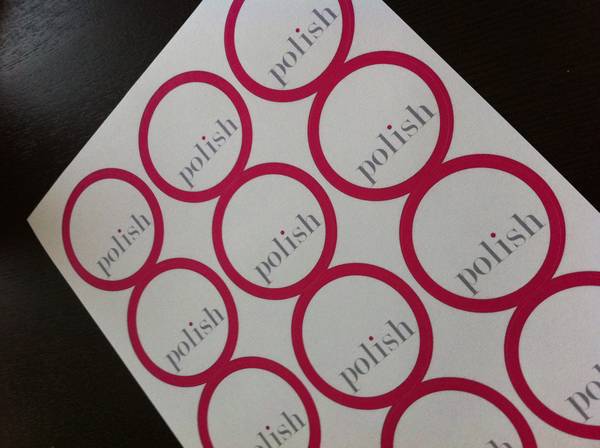

I use circle labels to create name tags for my bimonthly business meetings. The names of the attendees are printed on the labels for each event. I love how the pink circle bleeds to the edge of the label and creates a polished outline for each name tag. For walk-in attendees that haven't rsvp'd in advance, we can easily write in their name on a blank name tag.
Lining up circles is really difficult. It took quite a bit of trial and error. I ended up creating the background for the labels in photoshop as a full page pdf that gets printed on the full sheet of labels. Later, I go into a word processing program with the label template from onlinelabels.com and fill in the names. Then I print those onto the label sheets. It's a two-step process, but it works well. Now that I have the system down, I outsource the printing of the backgrounds by providing the label sheets and the background files to a printer. I simply print the names on the labels now. Ink jet works better for printing the names because laser can sometimes cause the pre-printed red ink to smear.