
Jim's wine label - Label Ideas
by Jim Skinner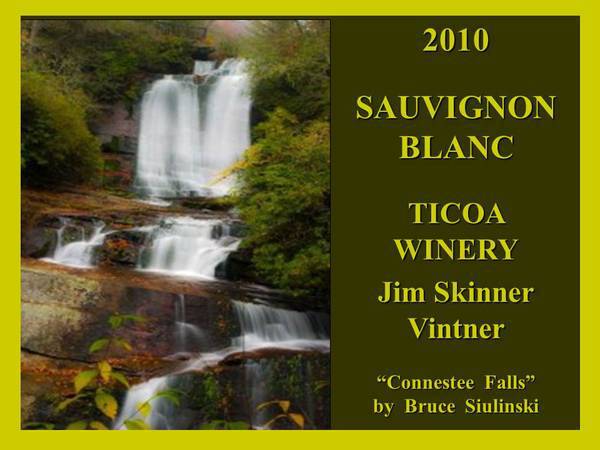

Description
I make my own wine and labels. Instead of using a set label format from Online Labels, I create my label on PowerPoint and save it in JPEG format. I then erase the inside of one of the Maestro labels and load my photo into that space.
Useful tips for this project
Loading my own PowerPoint creation is easy and gives me much more flexibility and creativity. Once the image is saved in Maestro, you can insert it into the space for one of Maestro's labels. One disadvantage is that you cannot change the label in Maestro and have to make changes in Power Point and upload that new image.
View More Designs Featuring
View Similar Ideas
Printer Used
Hewlett-Packard Photosmart C4795
Share & Get $10 Off
Share your label creation!