

How To Activate Your Account

Maestro Label Designer requires an activation code to print without watermarks. Below, we describe the activation process and walk you through the two ways to activate your Maestro Label Designer account.
What is activation?
Activation codes give users access to the full version of Maestro Label Designer and are included with every purchase from OnlineLabels.com. If you have an activation code, continue reading for instructions on how to apply it to your account.
Not sure if you have an activation code? Find out where to look.
You can also launch Maestro Label Designer without an activation code and choose custom labels to order professionally printed labels without a watermark.
Option 1 - Activating in Maestro Label Designer
The following steps apply for existing Maestro Label Designer accounts. If you're new to the program, learn how to create an account.
Launch Maestro Label Designer and sign in.
-
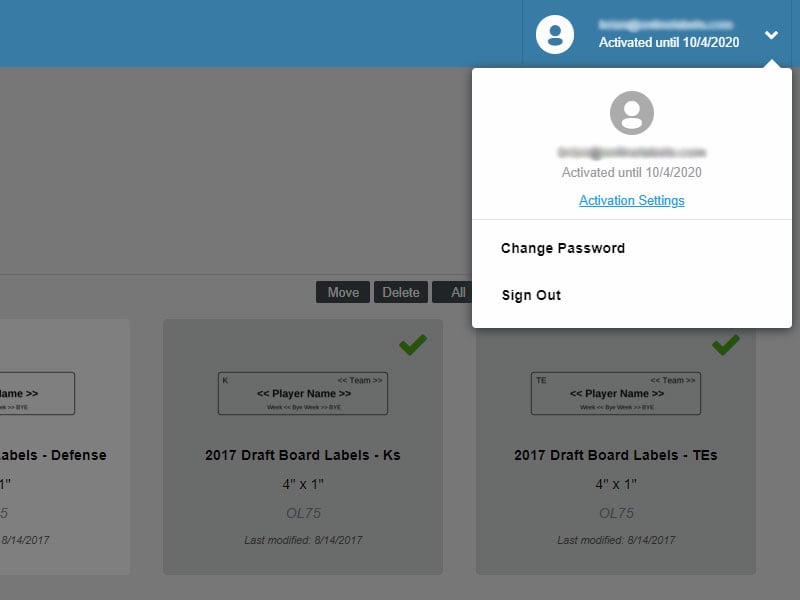
Mouse over the profile icon in the upper right-hand corner of the page and select "Activation Settings."
-
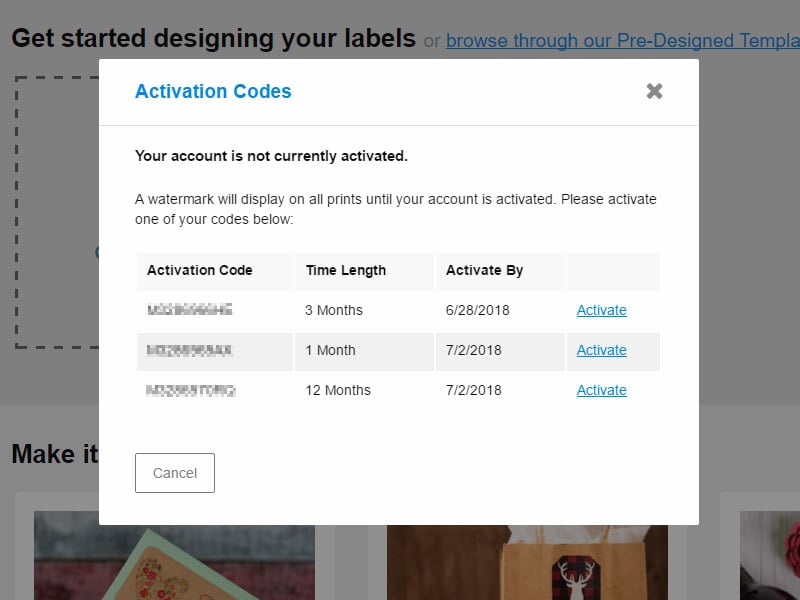
Do you have any activation codes listed?
If yes, click "Activate" next to the code you would like to use. Your activation code will be immediately applied and you'll return to the Maestro Label Designer home screen.
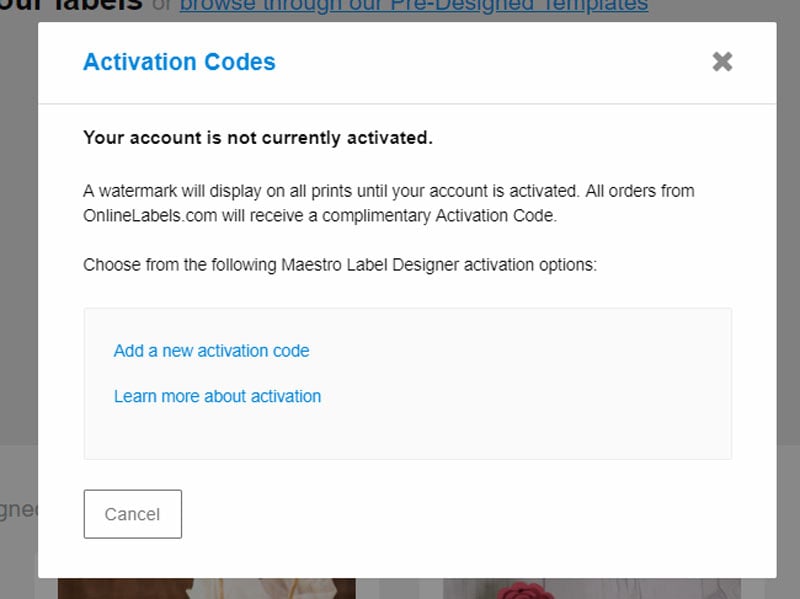
If no, you can enter a code manually by clicking "Add a new activation code" or select "Learn more about activation" to be taken to the pricing and extension request page of our website.
Option 2 - Activating in "My Account"
-
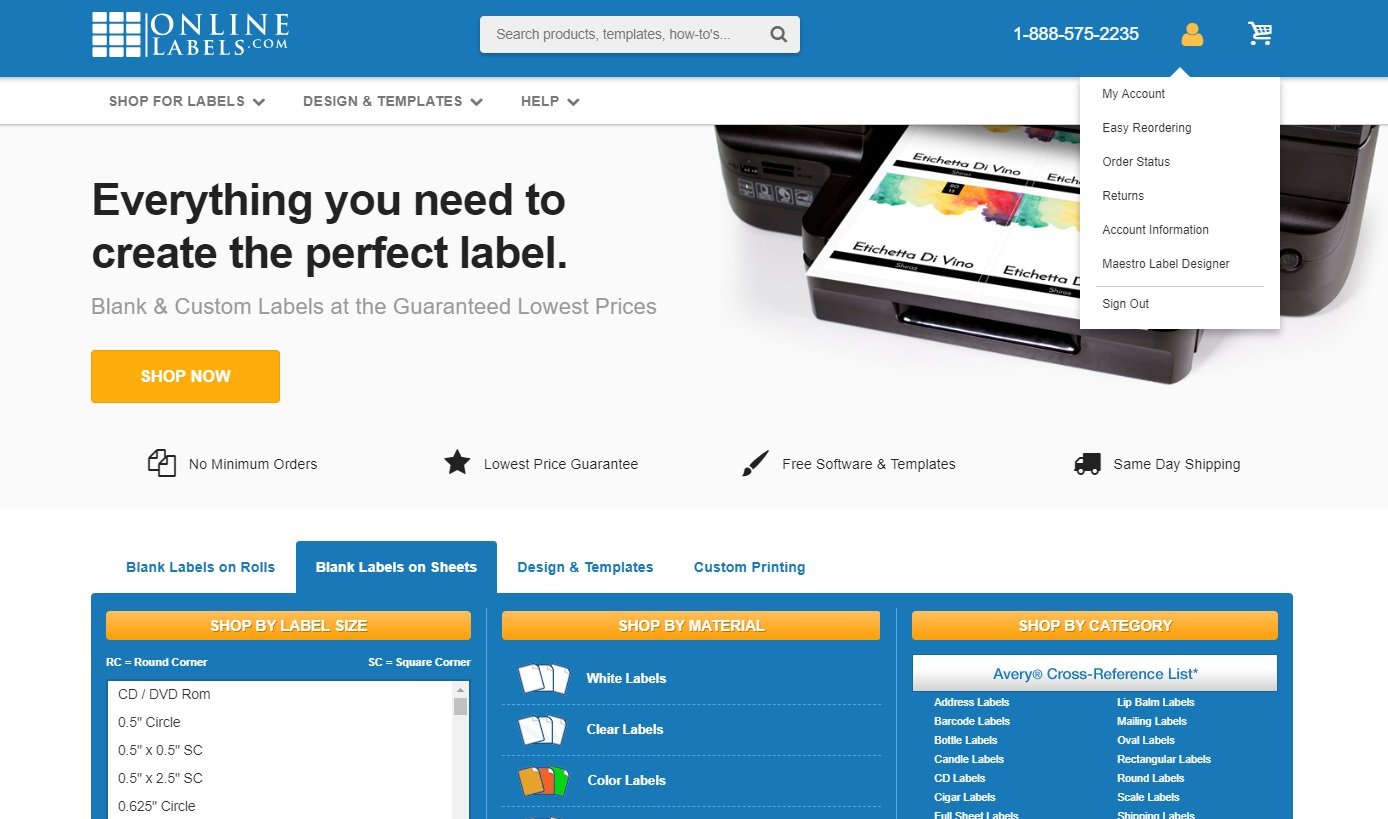
Log into your OnlineLabels.com account using the "My Account" link at the top of the screen.
-
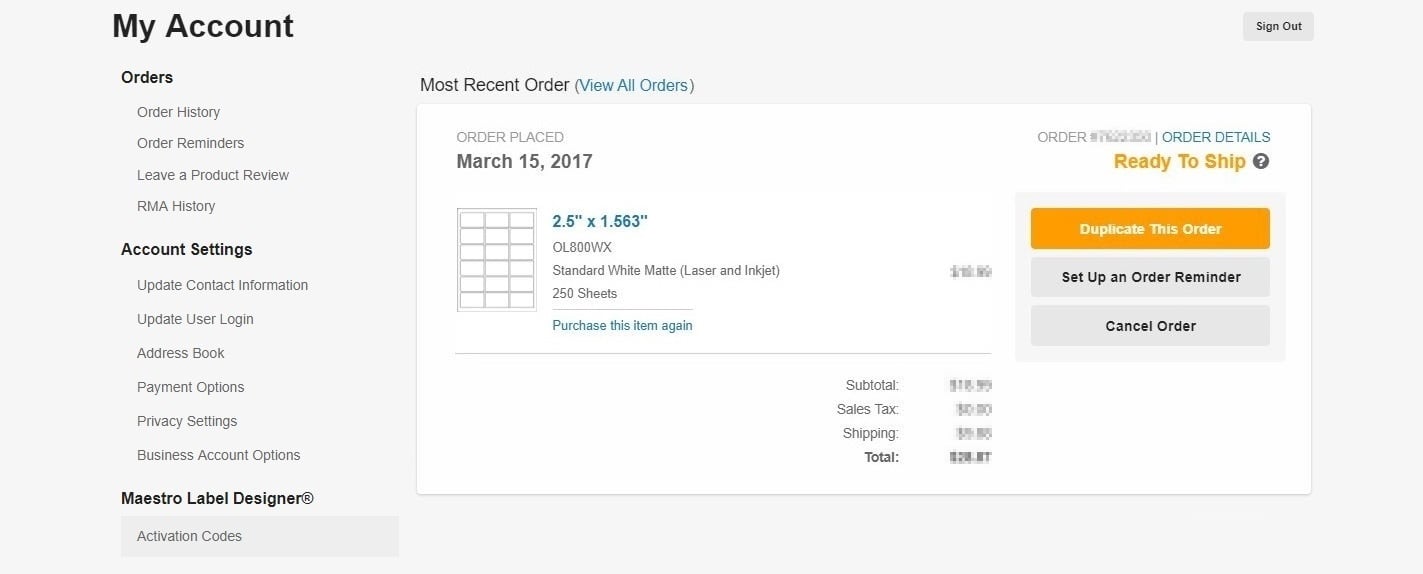
Click "Activation Codes" under "Maestro Label Designer®" in the left-hand column.
-
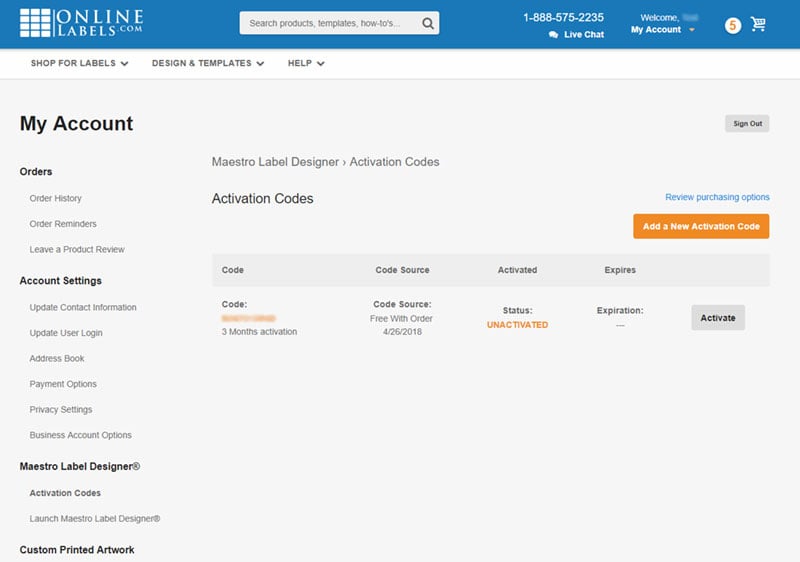
Do you have any unactivated codes listed?
If yes, click "Activate" next to the code you would like to use. It will be immediately applied to your account.
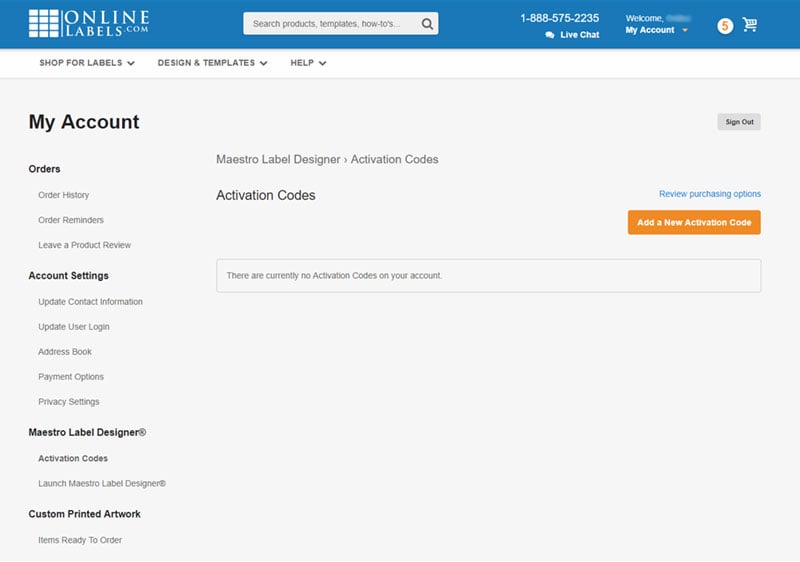
If no, you can enter a code manually by clicking "Add a new activation code" or select "Review purchasing options" to be taken to the pricing and extension request page of our website.
Note: If you enter an activation code, it will not be immediately applied to your account. You must click "Activate" once it shows up in the chart.
If you're still having issues with activating your Maestro Label Designer account, please contact our support team by calling 1-888-575-2235.
