
Barcode Labels

Here's what people are saying
How to Create & Print Barcode Labels
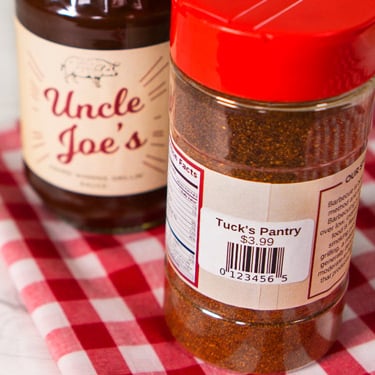
Making your own barcode labels is easier than you might expect.
- Determine what type of barcode you need for your application. If you're not sure, read our Introduction to Barcodes.
- Create a single barcode using our Barcode Generator Tool or use the Mail Merge feature in Maestro Label Designer to create a set of barcodes.
- Set up your barcode(s) on your labels. Make sure you have the right size label with our printable ruler.
- Load your label sheets or rolls into the printer. Double check that page scaling is off.
- Hit print and admire your custom barcode labels.
Make sure your barcode will hold up to its use. Check out our comparison of durable label materials to find the right option for your project.
Frequently Asked Questions
-
How can I create a barcode to print?
You can generate a single barcode with our free Barcode Generator Tool or design a full sheet of barcodes using the Mail Merge feature in Maestro Label Designer.
-
Can I print barcode labels at home, or do I need special equipment?
Most barcodes can be printed with an inkjet or laser printer at home.
-
Will my barcodes last through exterior conditions?
Yes, we recommend using weatherproof materials for long-lasting results since they resist moisture.
-
How do I prevent barcode labels from peeling off over time?
Use the correct adhesive for your surface. Permanent adhesives bond strongly to cardboard, plastic, and glass. However, if the label is going to be constantly replaced, we recommend selecting a label with a removable adhesive.