

Maintaining Your Thermal Transfer or Direct Thermal Printer

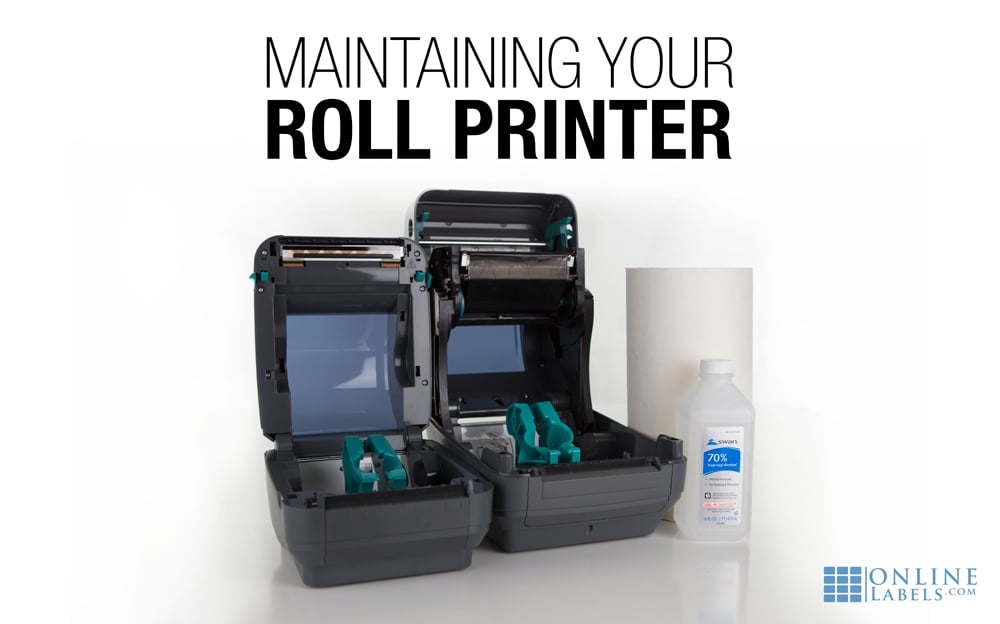
Print-head build-up is a common occurrence when printing with thermal transfer and direct thermal printers. Dirt and residue can deposit and build on the print-head over time, along with adhesive from your roll labels.
Without regular cleaning, the residue could become permanent and cause a "barrier" between the print-head and your labels. To prevent premature print-head failure and reduced print quality, we've detailed some popular cleaning methods below.
Cleaning Methods
Isopropyl (Rubbing) Alcohol
Isopropyl alcohol can be used in either wipe or swab form to clean the surface of the print-head. According to Zebra®, swabs are the safest option. You can also apply the solution to a lint-free cloth, just be sure to use rubbing alcohol with as high of a purity percentage as possible.
Apply a minimal amount of pressure during cleaning, enough to be effective but not enough as to damage the print-head. Go over the print-head several times for a thorough cleaning. Before resuming printing, allow the print-head to dry fully.
Cleaning Cards
Cleaning cards are an alternative method. In addition to cleaning the print-head, cleaning cards also clean any build-up that accumulates on the printer's rollers. Cleaning cards should only be used periodically, though, as constant use can cause abrasion that could potentially damage the print-head over time.
Cleaning Pens
Print-head cleaning pens are a great option for simple touch ups. To use, press the pen tip to the print-head and move from side to side. Use on the rollers too, if possible. Your cleaning pen may be good for approximately 10 uses, or until it shows signs of dirt buildup.
Thermal Ribbons With Built-In Cleaners
For those who don't want to spend the time cleaning the print-head every time a roll needs to be replaced, there are thermal transfer ribbons with built-in cleaners. You just install the new roll with attached cleaner strip and pull it through to break down built-up residue.
This option is specific to thermal transfer printers. Direct thermal printers don't use thermal ribbons and therefore have no need for this product.
Cleaning Frequency
Regardless of which method is used, the thermal print-head on your printer should be cleaned each time you change the label roll or ribbon. Regular cleaning will ensure that you continue to receive consistently excellent printing results while also preserving your print-head from premature failure.
Cleaning Tips
- Never open the print-head mechanism or use any cleaners while the printer is on.
- Get loose dust particles out of the way by lightly blowing inside the print mechanism before you begin cleaning.
- Remove any watches or jewelry that could scratch the print-head or surrounding pieces.
- Avoid touching the print-head anywhere except the edges, even the lightest touch could potentially damage the print-head glass.
In addition to the suggestions listed above, you may want to inquire with the manufacturer of your printer about a yearly preventative maintenance program. Services such as these will provide a yearly checkup by an expert, and will certainly elongate the lifespan of your thermal transfer or direct thermal printer.
We hope this helps maximize the life of your thermal printer. As long as it's still kicking, you can count on us to bring you high quality labels in the shapes, sizes, and materials you need.
Call our support team at 1-888-575-2235 if you ever have any questions about custom sizing or printing issues.
This article is meant to be used as a guide, not as an authoritative resource on printer maintenance. Please be sure to check your printer manual for instructions on maintenance specific to your unique model. We are not responsible or liable for any actions taken as a result of using the content or resources listed above.
