

Creating Nutrition Fact Labels for Your Products

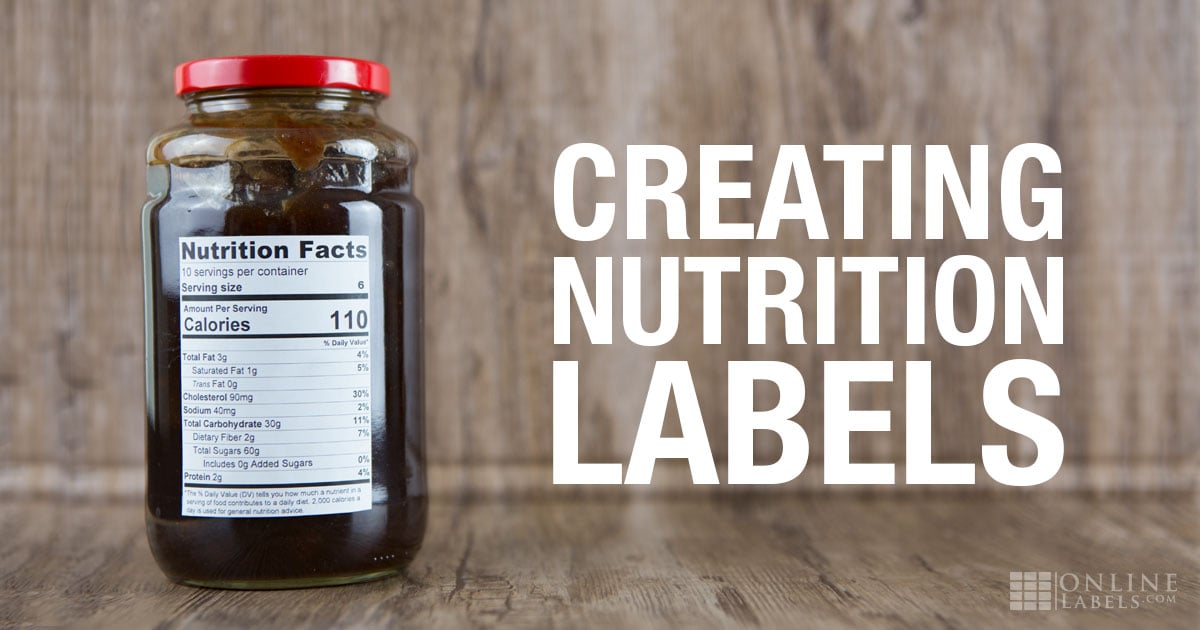
You've spent countless hours choosing the best ingredients to create your food or drink. But before it's ready to hit the shelves, there's one detail you can't forget to add – the nutrition label.
We can help you tackle this major step by providing the resources and information you need to get shelf-ready.
How To Determine the Nutrition Content Of Your Handmade Foods
The Food and Drug Administration (FDA) and consumer advocacy groups are coming down hard on businesses to provide accurate and truthful nutritional information on their packaging. There are two ways to get started:
Use A Nutritional Database
For smaller businesses and individuals, using a nutritional database is a practical option for doing it yourself. By entering in a particular ingredient and serving size, you can find out specific nutrition facts.
They can host information on thousands of foods and ingredients and be searchable by food item, group, or description. They may even contain a complete analysis of common ingredients. One thing to be wary of is that some items are still unable to be analyzed.
Examples of Nutritional Database Services:
- ESHA's Food & Nutrition Database
- Nutritional Information Services
- Menutail Cloud Based Nutrition Facts Analysis
Send Your Product To A Lab
Food labs use their extensive database and food science experience to calculate accurate nutrition facts for consumers. The information they provide is based on the nutrition facts of each contributing ingredient and the percentage used in your recipe.
Foods that are fried, coated, or salted must have their nutritional information determined by a lab because of their complexity. Unfortunately, since foods being analyzed in an official lab must follow strict procedures according to the FDA, the process can be both time consuming and expensive.
Popular Product Labs:
How to Calculate Nutrition Facts for Your Product
Sending your product to a lab or using a nutrition database is the best way to obtain nutrient values; however, the FDA also provides guidance on how to calculate and display information correctly. Here are a few steps to consider when calculating nutrition facts for a label:
1. Determine the serving size
- Serving sizes must be based on the Reference Amounts Customarily Consumed (RACCs), which represent how the FDA currently thinks about nutrient labels.
- Choose the unit that best reflects how consumers typically eat the product.
2. Calculate the nutrient content per serving
- Use a reputable nutrition database (such as the USDA FoodData Central) or your product formulation to determine nutrient values.
- Break down each ingredient into its nutrient contribution, then sum those totals for the entire recipe.
3. Apply FDA rounding rules
The FDA requires specific rounding conventions to keep labels consistent and easy to read. A few common examples:
- Calories: round to the nearest 5-calorie increment up to 50 calories, and to the nearest 10 calories above 50.
- Total fat: values under 0.5 g per serving can be rounded to 0 g. Above that, round to the nearest 0.5 g increment up to 5 g, then to the nearest whole gram.
- Sodium: round to the nearest 5 mg under 140 mg, and to the nearest 10 mg above 140 mg.
- Added sugars, protein, vitamins, and minerals: typically rounded to the nearest whole number.
4. Double-check mandatory nutrients
Make sure you’ve included all required nutrients: calories, total fat (with saturated and trans fat), cholesterol, sodium, total carbohydrate (with fiber, total sugars, and added sugars), protein, and the four key micronutrients (Vitamin D, calcium, iron, and potassium).
5. Format the label correctly
Once your numbers are finalized, lay them out in the FDA-approved Nutrition Facts format. This ensures consistency and compliance across all packaged products. For a better process and analytics. Don’t forget to check out our label generator tools to aid you in creating your nutrition labels.
What are the 2016-2020 Updates Requested for Nutrition Facts Labels
The current requirements for Nutrition Fact Labels were updated in 2016 to reflect updated information for diseases relating to obesity and heart disease. Manufacturers had to update their label information starting on January 1st, 2020, and currently follow the format below:
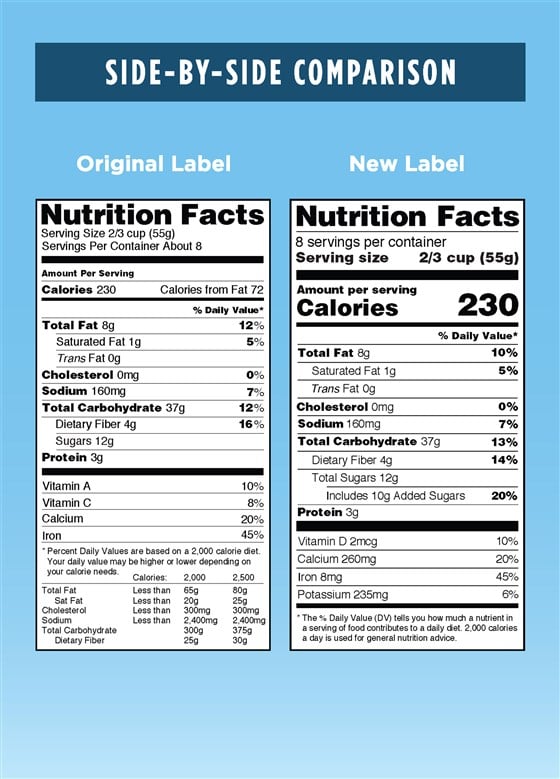
For more information on other requirements you need to know, check our guide on New FDA Nutrition Fact Label Requirements.
What FDA Regulations Your Food Business Should Follow
The FDA does not regulate nutrition fact panels on a proactive basis, so you don't have to get its sign-off before printing your new label. But if it finds a business or individual is incorrectly or improperly reporting nutritional facts on their food labels, it will issue a recall of your product. This can lead to a frustrating and expensive "Spot Check."
To avoid this situation, take one of the following routes:
Study The FDA Rules
The FDA provides information on standards it sets forth directly on the FDA website.
Hire An FDA-Compliance Expert
If you're still uncertain, don't want to risk it, or are lacking the time to spend doing it yourself, think about hiring an FDA-approved label consultant. An FDA label consultant will ensure you're providing the most accurate information on your product labels.
Examples of Nutrition Label Consultants:
- Prime Label
- Food Label Consultants
- EAS Consulting Group, LLC
- Food Consulting Company
- Carter Regulatory Group
Required vs. Optional Nutrients
When creating a nutrition panel for your products, it’s important to understand which nutrients are required by the FDA and which are considered optional. Every Nutrition Facts label must include the following information:
- Serving size and servings per container: establishes the reference point for all other nutrient values.
- Calories: the total caloric content per serving.
- Total fat:lists the overall fat content per serving. Must include a breakdown of:
- Saturated fat: often found in animal products and some oils.
- Trans fat: a type of unsaturated fat that can come from either natural or artificial products.
- Cholesterol: explains the amount in each product.
- Sodium: reflects the amount of salt in a product.
- Total carbohydrates: include all carbs in a serving, and can be broken down into:
- Dietary fiber: present in products related to digestion and overall health.
- Total sugars: includes both naturally occurring and added sugars.
- Added sugars: must be declared separately to help consumers track extra sugar intake.
- Protein: declares the grams of protein per serving, a key nutrient for products that focus on muscle and tissue repair.
- Vitamin D, calcium, iron, and potassium: these four micronutrients are required because they are considered “nutrients of public concern” in the United States.
Optional nutrients: these include Vitamin A, Vitamin C, and folate only need to be included if your product makes a related nutrient claim (e.g., high in Vitamin C) or if the nutrient has been added to the product.
Learn From Others
We interviewed food entrepreneur Damian Roberti as part of our Startup Academy series. In the article, he runs through step-by-step processes everyone entering the market should follow. See for yourself what he recommends if your're interested in starting a food-based business.
How To Create A Nutrition Label
After you've received your information, use OnlineLabels' free nutrition label generator to design your nutrition label.
Choose from three different layouts: vertical basic (standard), vertical detailed (tall), or horizontal (tabbed). You can also toggle between the new 2016 label and the one that's been in place for the last 20 years. If you're not sure which version to use, compare nutrition fact panels.
When you're ready to get started, launch our nutrition label generator or create your nutrition facts in Maestro Label Designer. Then, it's as easy as entering in your numbers.
Note: The FDA has outlined rules for declaring the number of nutrients on the nutrition label, including when to round and by how much. Our nutrition label generator automatically applies the FDA's rounding rules to the label we generate. Therefore, you may see different values in the finished product than what you entered in the tool.
How To Choose A Label Material for Nutrition Facts
When you're ready to order labels for your nutrition facts, be sure to pick a weatherproof material. If your food or drink will end up in a fridge or freezer, this step is critical to the longevity of your label and branding.
Weatherproof labels are also important if your product will face a lot of heavy handling. The special facesheets help lock in the ink or toner for a more durable label. Consider how a customer's hand is always wrapped around a beer bottle right where the label sits – you don't want your design wiping off on their hands.
How To Make A Product Label for Food & Drinks
There are two main ways to add your nutrition fact label to your product:
Apply Separate Nutrition Fact Stickers
Print your nutrition label on an appropriately sized label and apply it to your product packaging as a separate element. This is perfect for business owners who have already ordered or printed their packaging.
Shop our nutrition fact label sizes. Choose from a variety of sizes that match each of the three popular layouts: vertical basic (standard), vertical detailed (tall), or horizontal (tabbed).
Build Your Nutrition Facts Into Your Product Label
Your other option is to build your nutrition fact label into your product label design or outer packaging.
You can do this by opening your nutrition fact label in Maestro Label Designer or by creating it in Maestro Label Designer from the getgo. Maestro Label Designer offers the utmost flexibility for label design and printing, so you can focus on what you do best.
Launch Maestro Label Designer and shop popular label sizes for food products.
You've created a delicious food or beverage product, don't let the nutrition label process stop you from sharing it with the world! When you're ready to hit print, make sure you're putting it on display with good quality labels that will make an impression. The packaging is what customers see first, so make it count.
Create your nutrition fact label today or browse our Customer Ideas gallery to get going! While you're at it, check out our other label generator tools for business owners.
